Drevon v0.4.15 — Small details, big difference
If you've been using Drevon for a while, you know the core is solid. Agents run, tasks get done, files get generated. But the experience of using the app? That's where this update comes in.
v0.4.15 is all about the small things that make Drevon feel like a real native app on your Mac — not just a tool, but something you actually enjoy opening.
What's new?
Pin your favorite agents to the top
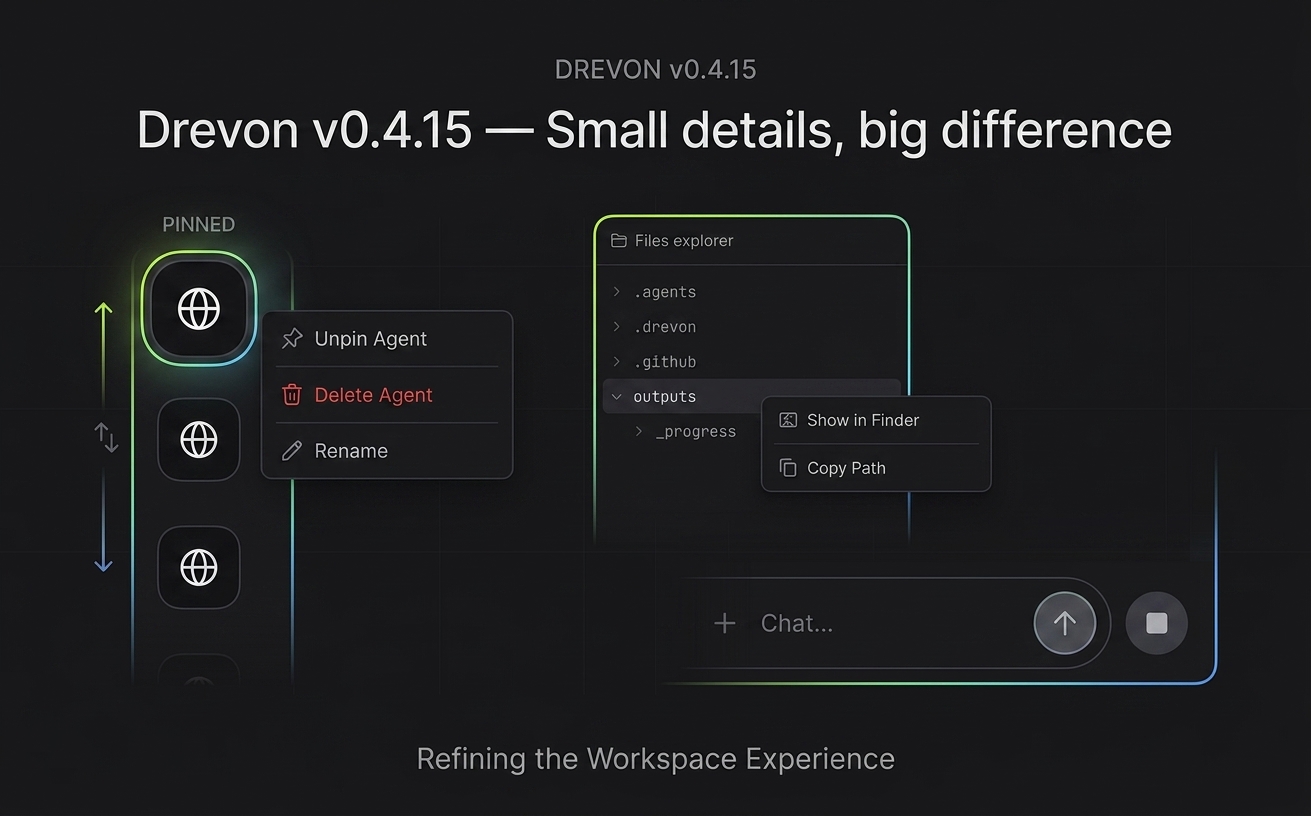
If you're like me, you probably have 10+ agents and only use 3-4 of them daily. Now you can right-click any agent in the sidebar and pin it to the top. Drag to reorder them however you want. Your layout persists across restarts — because nobody wants to reorganize their workspace every time they open the app.
Right-click menus everywhere
This one's been long overdue. You now get proper right-click context menus in:
- File Explorer — "Show in Finder" and "Copy Path" are now one click away. No more manually navigating to find where your agent saved that file.
- Chat Input — Cut, Copy, Paste. Yes, basic stuff. But it matters when you're rapidly editing prompts and the keyboard shortcuts don't always feel natural.
Refreshed chat input design
The send button has become round and neat — a clean circular button with an upward arrow. The stop button follows the same style. It's a small visual change, but it makes the whole chat experience feel more polished and familiar.
Smoother authentication flow
Login and re-auth flows have been cleaned up significantly. Token refresh happens proactively now, so you shouldn't randomly get kicked out mid-session.
If your session does expire while you're working, the app opens the browser for you to sign back in — and once you do, it picks up right where you left off. Your message gets sent automatically, no need to retype anything or start a new session. The whole thing feels seamless now.
We also cleaned up the edge cases: no more phantom "re-authenticate" prompts showing up after a successful login, and the auth code prompt disappears on its own once you've signed in through the browser.
Better image previews
When agents generate or reference images, the preview experience is now much smoother. Zoom works properly, loading states are clean, and the overall interaction feels like it belongs in a native image viewer.
Why this update matters
None of these are headline-grabbing AI features. But here's the thing — the best tools are the ones that get out of your way. Every small friction you remove compounds into a significantly better daily experience. And that's exactly what 0.4.15 is about.
We're building Drevon to be the workspace you live in, not just a tool you occasionally open. And that means sweating the details.
More coming soon. Stay tuned.