Drevon 1.2.1: publish what your agents make
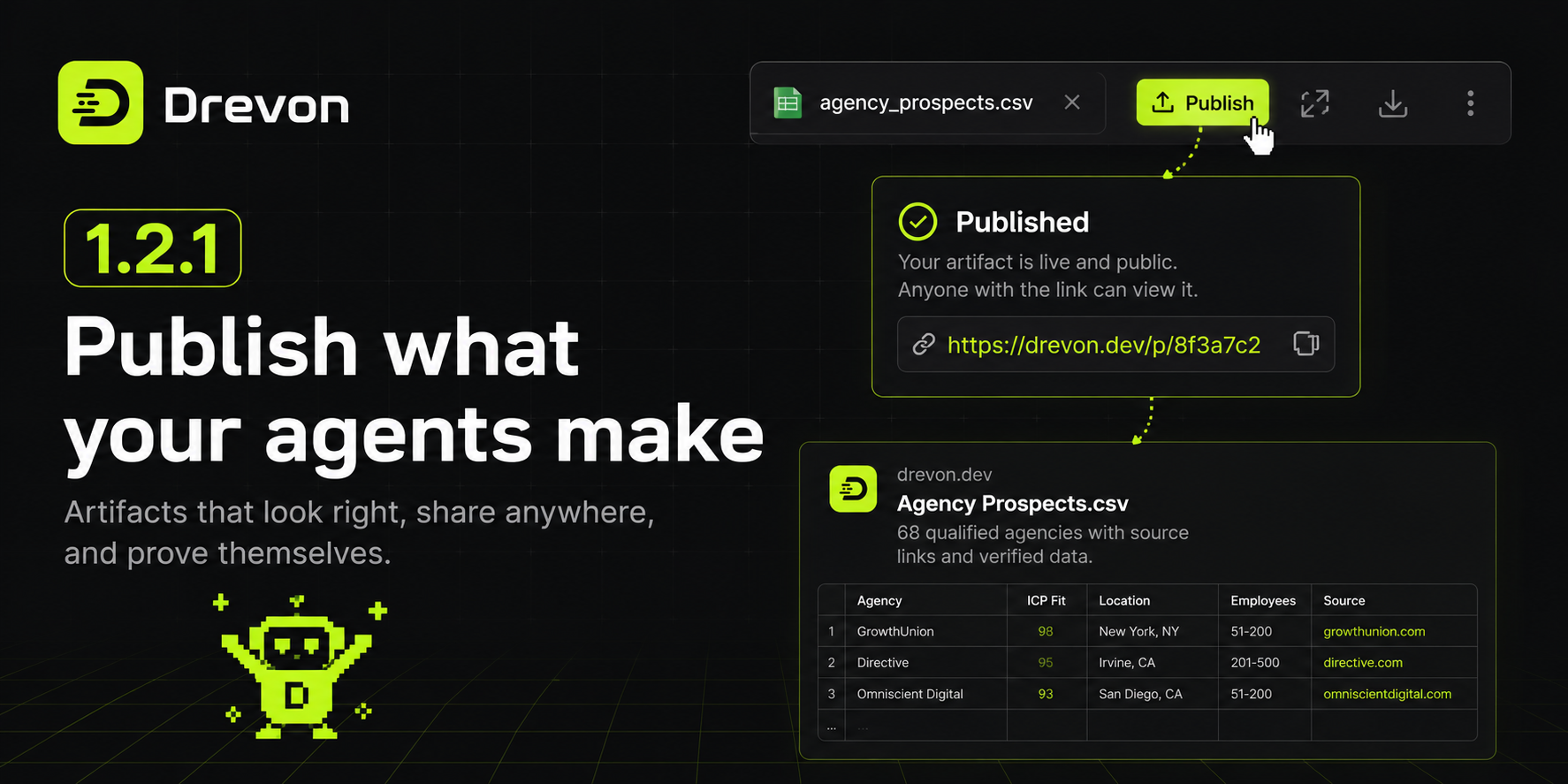
Your agents produce real work: a list of 68 qualified agencies with a source link on every row, an ICP teardown, a pipeline brief. Until now that work lived in a folder on your Mac, and the only way to show anyone was to attach a file to an email.
Drevon 1.2.1 gives every one of those files a home on the internet.
One button, one confirm
Open any artifact and there is a Publish button in its tab. Click it, confirm once, and the file has its own page on drevon.dev. The link is on your clipboard before the dialog closes.
Anyone can open it. No Drevon account, no sign-in, nothing to install.
It looks like it does in the app
This is the part that matters. The page is not a download prompt and it is not a screenshot. Your CSV is the same grid, with the same row numbers and the same column headers. Your markdown is the same type. A spreadsheet keeps its sheet tabs.
Someone opening a link you sent is looking at the exact thing you were looking at. Spreadsheets, documents, PDFs, images, web pages, plain text: all of them render on the page. Nothing turns into a grey box with a download icon.
The link brings the evidence with it
Paste the link into Slack, X or LinkedIn and it unfurls into a card showing the real first rows of your table, or the opening of your brief. Not a logo, not a generic banner: the actual data.
Most people decide whether to click from that card alone. Now the card makes the case for you.
You stay in control
Published pages are public and can turn up in search, and the confirm says so in plain words before anything leaves your machine.
You can unpublish whenever you want. If your agent regenerates the file, one click pushes the new version to the same address, so a link you already sent to a client keeps working and shows the current version. The page never says who published it.
Every page also tells you how it is doing. The artifact's tab shows how many people have opened it and how many went on to download Drevon.
Room to read
The artifact panel now expands over the chat with a single click, and returns to its old width with another. Wide spreadsheets and long reports get the whole window when you want it.
Artifacts also sit on a solid background now. The window's grid used to show through the file you were reading, which made dense tables harder to work with than they needed to be.
Your whole chat history, back again
If an agent had more than fifty chats, the older ones could not be opened at all. The sidebar said "Showing 50 of 81" and there was nothing to click.
The list now loads twenty more each time you ask, however long your history is. Running and scheduled sessions still stay pinned to the top regardless of age.
Smaller things
Buttons inside the artifact panel — Edit, Save, Copy link, Download, the zoom controls — were drawn in the same grey Drevon uses for switched-off controls, so a perfectly usable toolbar looked dead. They look live now.
Published tables no longer stop at 500 rows. A large sheet loads in the background while you scroll, so the whole thing is there without the page ever locking up.